What’s new in this version?
In this new version, we have added several new features and improvements to make the app more complete, flexible, and useful for tracking work hours, earnings and reports.
Some of the main new features include:
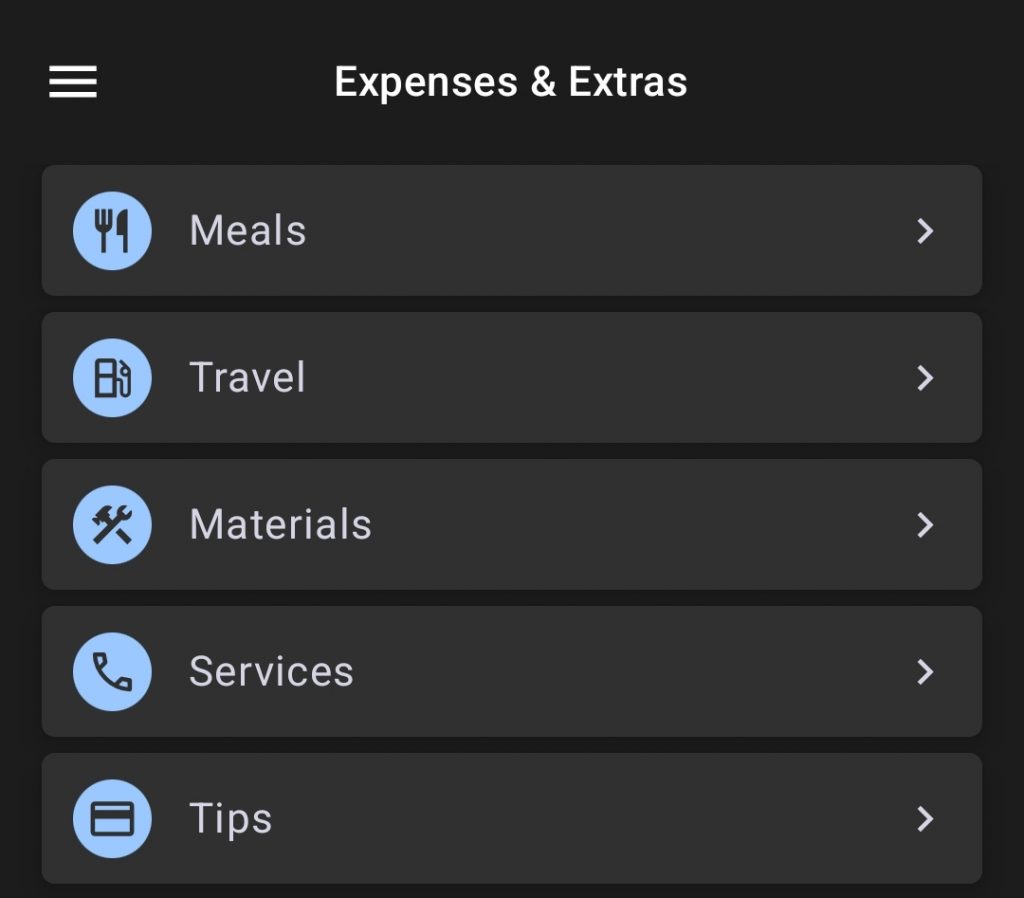
In the side menu, you will find an Expenses and Extras section. From there, you can create or edit the expenses and extra payments you use, such as mileage, meals, bonuses, or tips.
The app includes a few standard expenses and extras by default, but you can modify them or create new ones based on your needs.
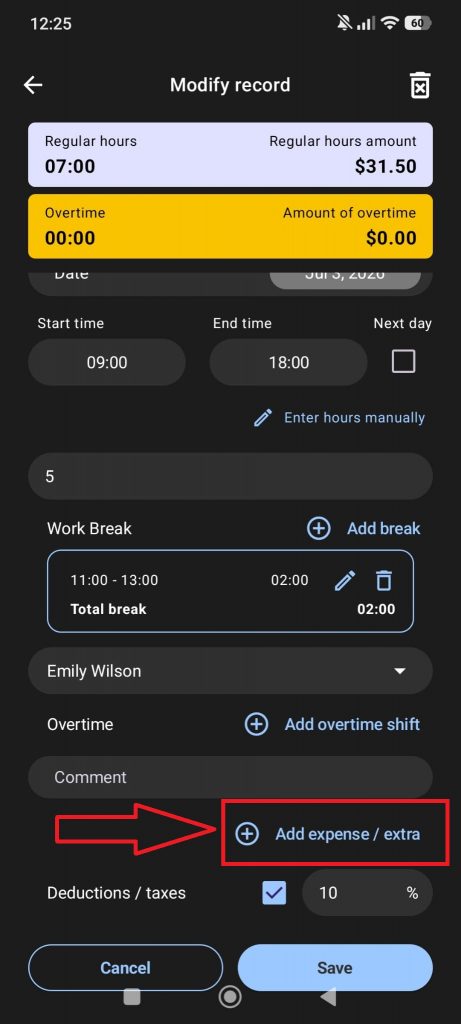
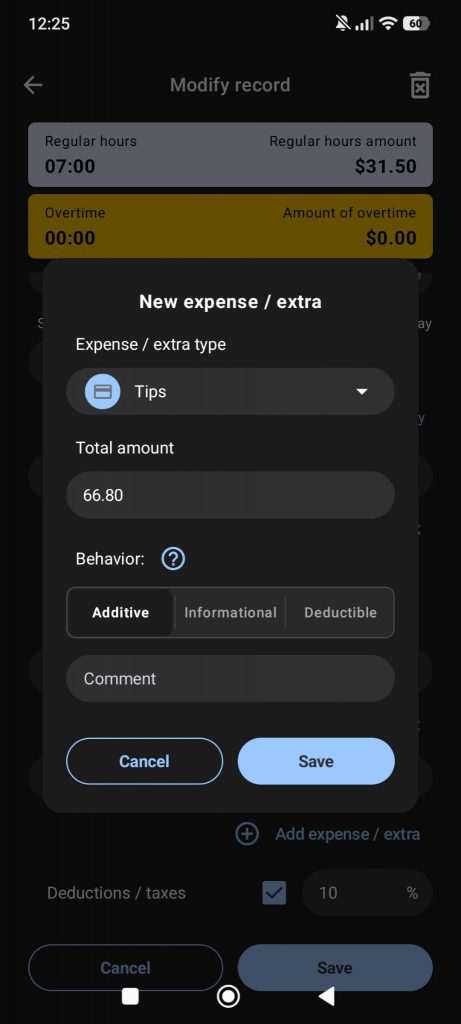
When creating a record, you can add expenses and extras using the following button:
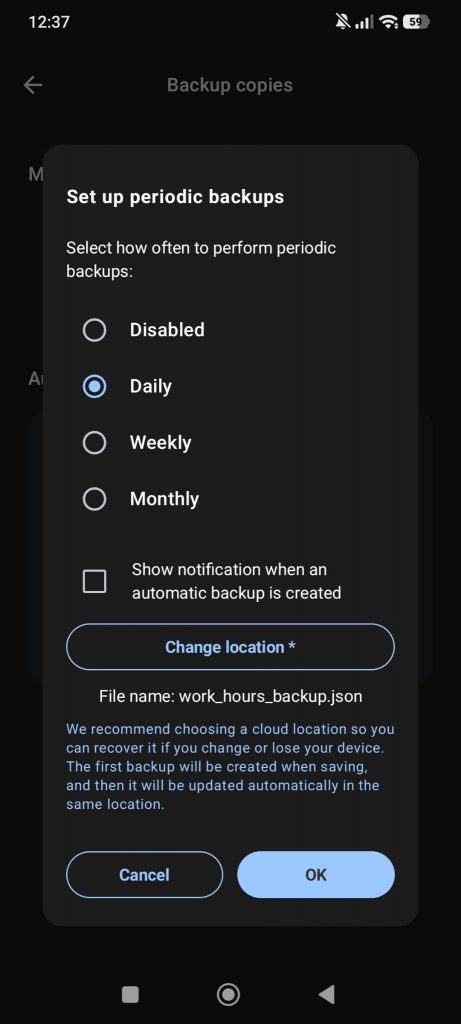
From Settings > Backups, you can create and restore backup files to protect your data and avoid losing records if your device is lost, damaged, or replaced.
We strongly recommend using the daily automatic backup option to help protect your data from loss.
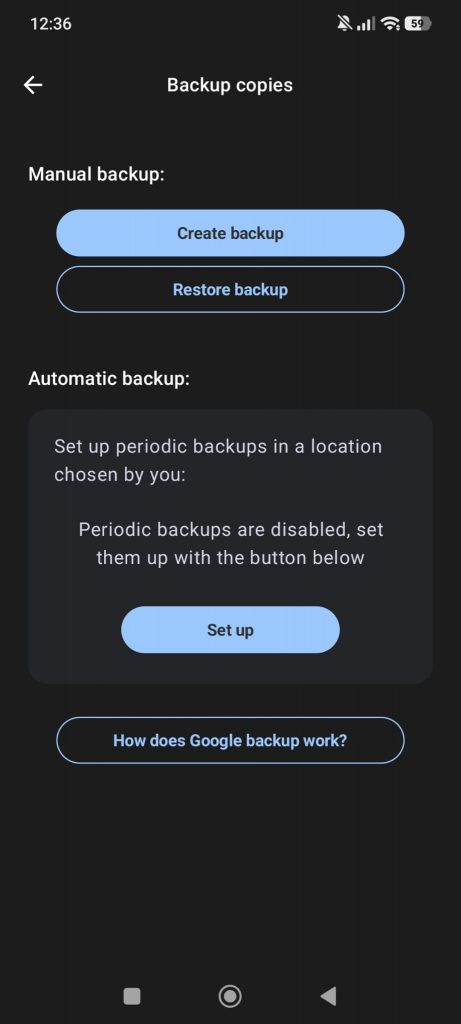
Backup options:
- Create manual backup: Creates a
.jsonfile with all your data. You should save this file in a safe place. - Restore backup: Allows you to select a backup file and restore your saved data.
- Automatic backups: Lets you configure automatic backups on a daily, weekly, or monthly basis. We strongly recommend choosing a cloud-synced folder, such as Google Drive, OneDrive, or iCloud, as the backup location.
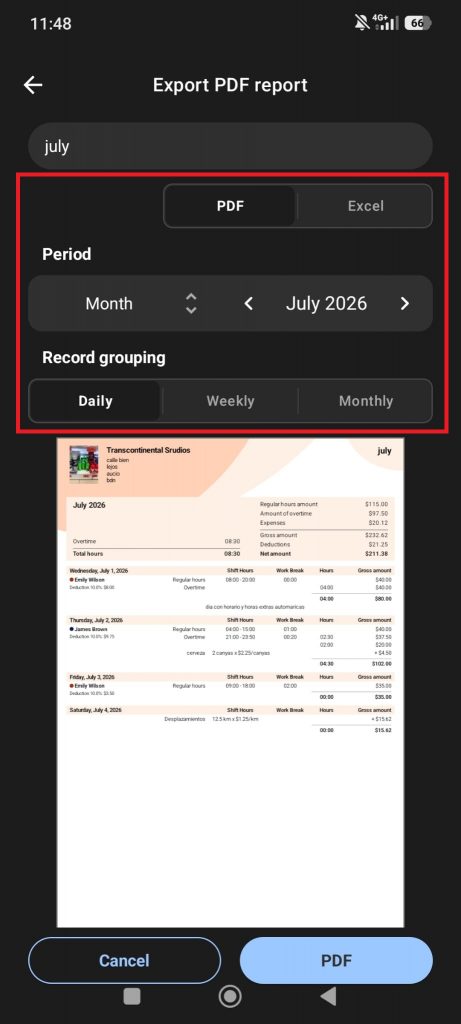
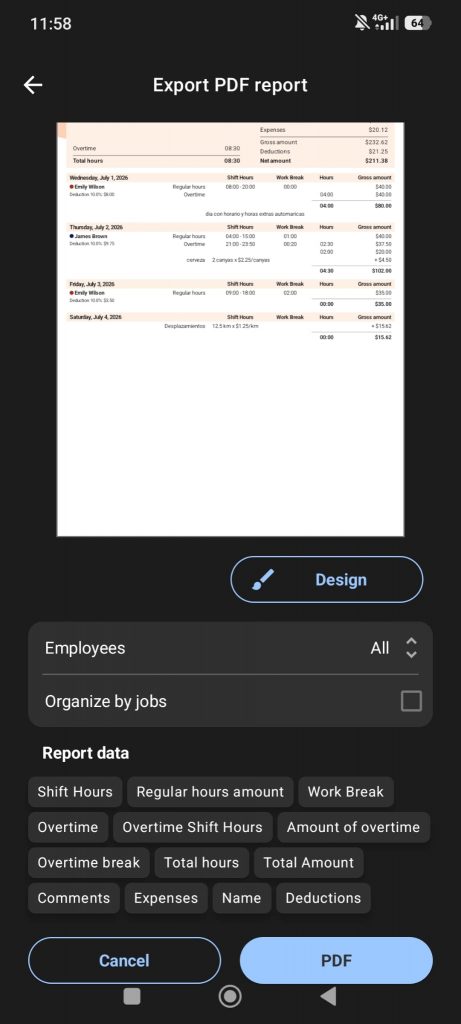
This new PDF creation screen gives you much more control over your reports, invoices, and payslips. You can now create reports in landscape format, select which columns to include, and filter the data by jobs, employees, clients, projects, and more.
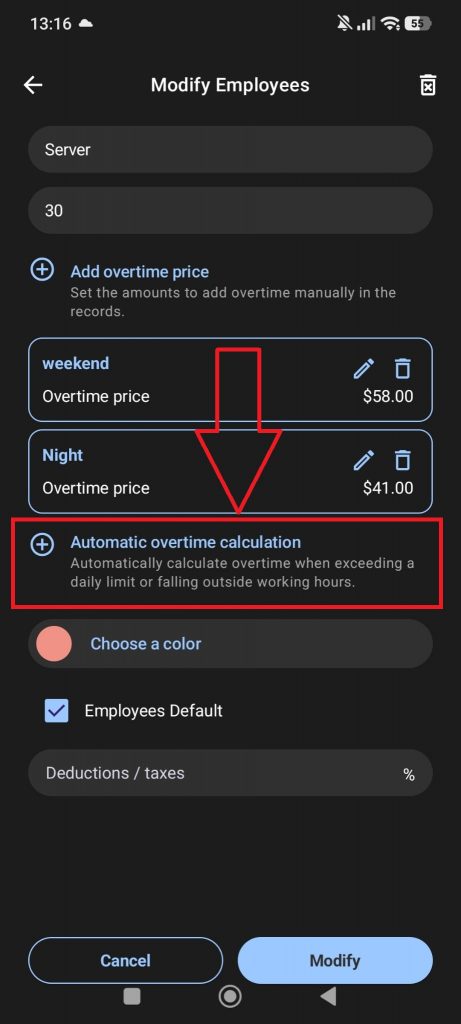
With this new feature, you can set a work schedule or define the number of regular working hours for a job, so the app can automatically calculate overtime.
We have added an optional field where you can enter taxes or deductions to be subtracted from the total. You can set them in the job settings or add them manually to each individual record.
We have also added gross and net earnings to the summaries when taxes or deductions are entered.
We have added a new option in Settings that lets you choose the first day of your week.
By default, the app uses the first day of the week based on your regional settings, but you can change it manually from the Settings tab in the side menu.
You can now try the premium version for free for 7 days.
You can cancel anytime during the trial period with no commitment. After the 7-day free trial ends, the subscription plan you selected will start automatically and you will be charged according to that plan.
If you have any questions, please contact us and we will be happy to help, as always!
You can reach us at info@trascostudios.com or through WhatsApp using the option in the app’s side menu.